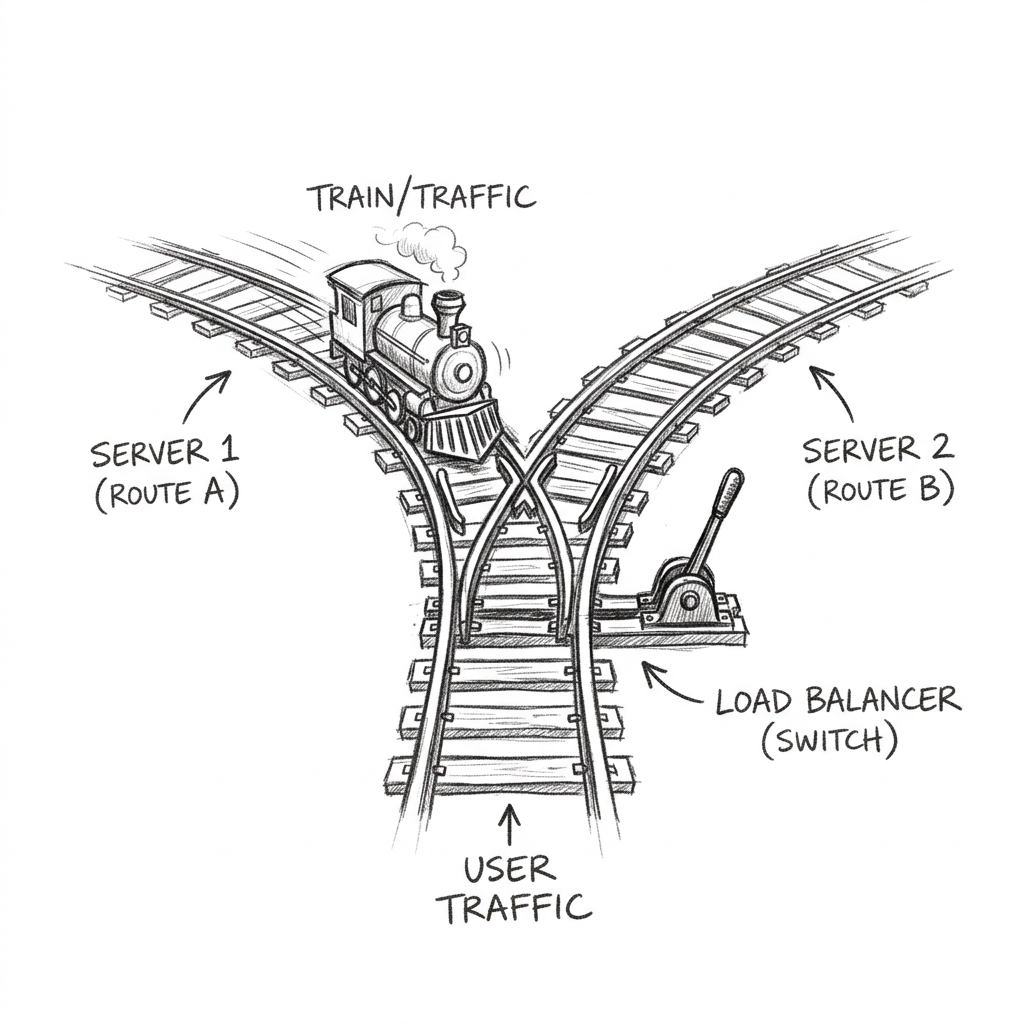
You have three copies of your app running in private subnets. A user has one URL. Something has to sit in between: receiving every request at a single stable address, deciding which copy should handle it, and quietly skipping any copy that's currently on fire. That's the Application Load Balancer.
The ALB lives in your public subnets (it's the front door), spreads across at least two AZs, and is usually where TLS terminates: it holds the certificate, decrypts HTTPS, and speaks plain HTTP to your targets inside the network.
The four moving parts
ListenerThe open ear: "I accept traffic on port 443." One per protocol/port.
RulesIf/then routing, checked in priority order: "if path starts with /api → send to target group B."
Target groupA named pool of destinations: instances, ECS tasks, or Lambdas: plus a health check config.
Health checkThe ALB pings each target (e.g. GET /health every 30s). Fail a few in a row → target pulled from rotation.
Because rules can inspect the HTTP request: path, host header, even query strings: one ALB can front many services. This is why it's called a Layer 7 load balancer: it reads the application protocol, not just IP and port.
Run the traffic desk
Route requests, break targets
Pick a path and send requests: watch the listener rule choose a target group and rotate through healthy targets. Click any target to fail its health check. Try killing all of tg-api and see what an API request gets.
What you just saw is the whole value proposition: a deploy can kill one target, a whole AZ can vanish, and users never notice: the health check notices first and the rotation shrinks around the hole. This is also how rolling deploys work: new tasks join the target group, pass health checks, start receiving traffic; old ones drain and leave.
ALB vs NLB, in one breath
The ALB reads HTTP: route by path/host, terminate TLS, ideal for web apps and APIs. The NLB (Network Load Balancer) works at Layer 4: it forwards TCP/UDP without reading it: much lower latency, a static IP per AZ, ideal for non-HTTP protocols, extreme throughput, or when clients must pin an IP. Rule of thumb: web traffic → ALB; raw TCP, gaming, MQTT, or "the customer's firewall needs one IP to allowlist" → NLB.
Check yourself
1. A request to /api/health arrives. Rules: priority 1 /api/* → tg-api; priority 2 /api/health → tg-monitor. Where does it go?
ALB rules aren't "most specific wins": they're first-match by priority number. A classic misconfiguration is putting a broad wildcard at priority 1 and wondering why the specific rule below it never fires.
2. Every target in a target group fails its health check. What does the ALB return?
No healthy targets means the ALB answers itself with a 503. (Fun edge case: if all targets are unhealthy, the ALB actually fails open and tries them anyway in some configurations: but 503 is the answer to reason from.)
3. Your app tasks live in private subnets. Where does the ALB itself live, and why can users still reach it?
The ALB is a resource inside your VPC, deployed into (public) subnets you choose, wearing a security group you choose. It bridges the public internet and your private targets: this is Lesson 1 and Lesson 2 meeting Lesson 3.